
Reading time: 7 minutes
A high ROAS on the day of a promotion says very little about whether newly acquired customers will order again later. For peak planning, you should therefore check not only campaign revenue, but also the value of comparable new customer cohorts.
Shopify's customer cohort analysis connects first-time orders with subsequent purchasing behavior. This checklist shows how you can derive reliable budget decisions for autumn promotions and Black Friday from it.
In short & compact
✓ Always compare cohorts over the same period of time after their first order.
✓ Separate new customers by marketing channel, entry product, and offer.
✓ Evaluate repeat purchases and spending per customer instead of just initial revenue.
✓ Add advertising costs, margin, and returns outside of the cohort report.
✓ Only increase peak budgets for sufficiently matured and profitable cohorts.
Why first-order ROAS is not enough
Short-term ROAS evaluates the revenue attributed to a campaign in relation to advertising spend. However, it does not automatically show whether the acquired first-time customers are profitable after discounts, returns, product costs, and subsequent repeat purchases.
This is particularly relevant during promotional phases. An aggressive new customer discount can generate many orders, while a campaign with lower initial revenue wins customers who buy again more frequently.
Practical Check
Do not compare a young August cohort with a January cohort over their entire historical revenue. Instead, for example, check only the first 30, 60, or 90 days after the initial purchase for both groups.
The Peak Budget Checklist
1. Set a specific budget question
Do not start with the heatmap, but with a decision. Clarify, for example, which channel should receive additional Black Friday budget or which entry product is suitable for the new customer campaign.
At the same time, define the observation period. For products with short repurchase cycles, a few weeks can be meaningful; for long-lasting products, you usually need older cohorts.
2. Select comparable cohorts
Shopify's standard report groups customers by the time of their first order. You can use weeks, months, or quarters as intervals, depending on the volume of data.
For seasonal decisions, comparing with the previous year is often more helpful than comparing with the directly preceding period. Take into account changes in assortment, prices, discounts, and delivery areas.
3. Set the appropriate metric
In cohort analysis, Shopify can display customer retention rate, net or gross revenue, average order value, and the amount spent per customer, among other things. Choose the metric that fits the budget question rather than the visually strongest heatmap.
For acquisition decisions, the amount spent per customer and the customer retention rate are particularly useful. An increasing order value alone, on the other hand, can be influenced by a few large orders.
4. Differentiate after the first purchase
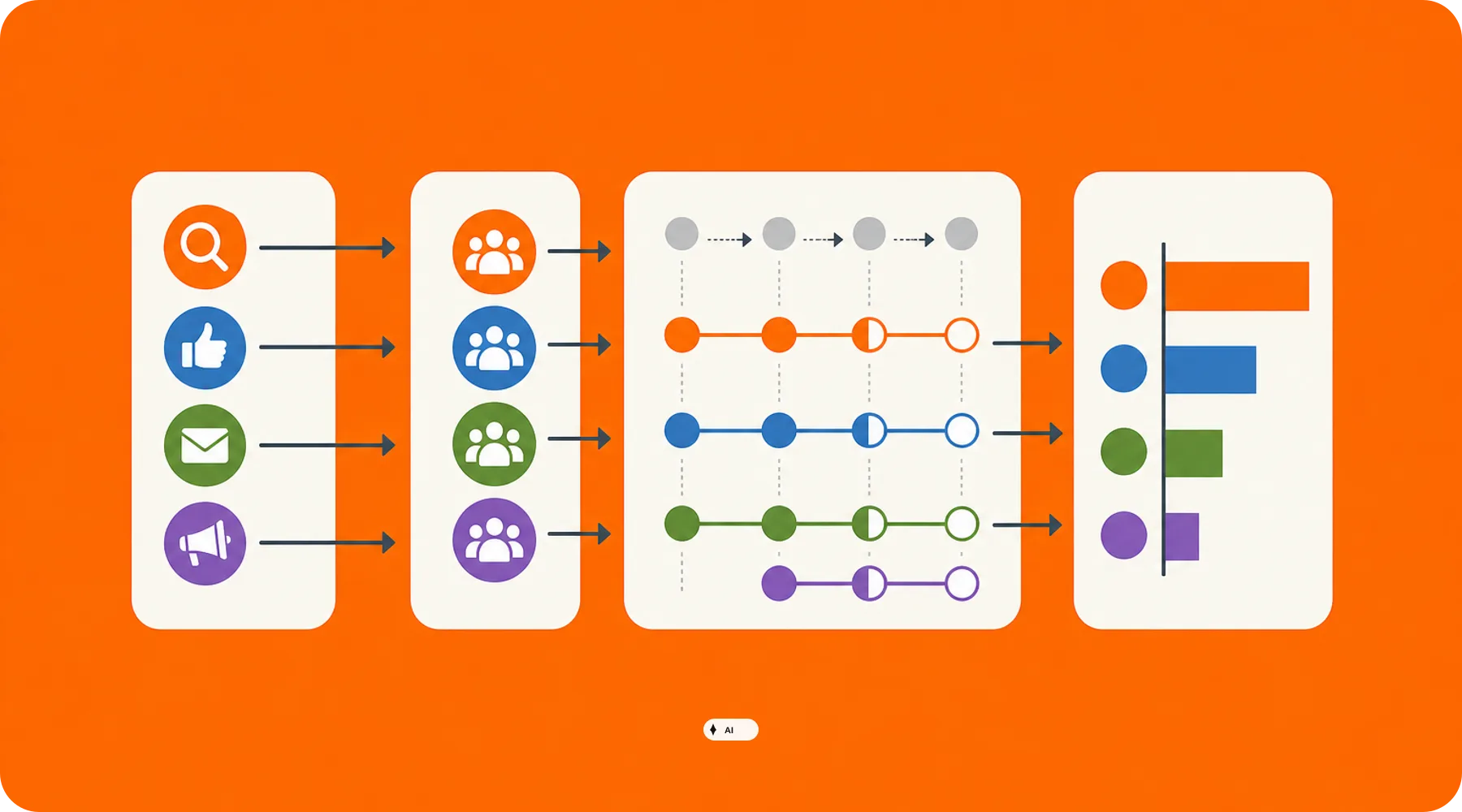
Through the cohort definition, the first order can be filtered by marketing channel, marketing type, product, sales channel, or subscription, among other things. This allows you to check whether different entry points also generate different repeat purchase rates.
Test only one clear hypothesis at a time. For example, compare new customers of a hero product with new customers of a discounted bundle, without changing countries, channels, and time periods at the same time.
5. Evaluate channel quality instead of channel volume
In the details of a cohort interval, Shopify shows, among other things, the most important marketing channels, total revenue, average order values, orders per customer, and the amount spent per customer. Use this view to separate high numbers of new customers from high customer quality.
A channel with low acquisition costs is not automatically the best choice. What matters is which channel develops sufficient revenue and contribution margin per acquired customer after a consistent maturation period.
6. Check discount cohorts separately
Peak discounts often change the customer mix. Therefore, separate strong promotion periods from regular acquisition phases and check whether promotional buyers return later without a comparable discount.
Also consider the entry product. A discounted bestseller can attract valuable new customers, but can just as easily attract one-time bargain hunters who dilute your repeat purchase values.
Important
Shopify's cohort report shows revenue and customer behavior, but not a full contribution margin. You must additionally take into account product costs, payment fees, fulfillment, return costs, and channel-related advertising spend.
7. Accurately add acquisition costs
Shopify defines customer acquisition costs as advertising and marketing spend divided by the first-time customers attributed to a campaign. For your peak decision, you should compare this value with the performance of the matured cohort.
A simple internal budget limit is derived from the expected contribution margin within your chosen timeframe minus a safety margin. Do not use revenue forecasts directly as the maximum permitted acquisition costs.
8. Monitor attribution and data status
Shopify's marketing reports are based, among other things, on UTM parameters and data from connected apps. Depending on the chosen attribution model and platform, revenue, orders, and advertising costs may differ from the figures in Google or other advertising systems.
Customer reports can also have a time delay. Therefore, do not make a budget decision immediately after the campaign launch and document which attribution model and which data status you used for the comparison.
9. Use forecasts only as a scenario
For the amount spent per customer, Shopify can display forecasts if data from the previous 24 months is available for the respective cohort. If this database is missing, the option is not offered.
The forecasts are based on your own shop's data and are not a guarantee of revenue. Use them as an additional scenario, not as a substitute for observed repeat purchases and your own profitability calculation.
10. Decide on budget rules before the peak
Define before the campaign start which cohort metric triggers a budget increase, hold, or cut. This prevents short-term revenue spikes or particularly cheap click prices from dominating your decision.
Work with ranges instead of a single target number. Young cohorts receive a limited testing budget, while sufficiently matured and profitable acquisition patterns are scaled in a controlled manner.
What shop owners should check now
✓ Is the customer cohort analysis correctly configured under Analytics and Reports?
✓ Which prior-year cohorts have already matured sufficiently for the upcoming peak?
✓ Which channels and entry products generate the strongest repeat purchases?
✓ Are discount cohorts separated from regularly acquired new customers?
✓ Are CAC, margin, returns, and fulfillment costs added outside of Shopify?
✓ Is everyone involved using the same time period and attribution model?
✓ Are clear testing, scaling, and stopping rules documented for the peak budget?
Thinkideas View
Do not automatically reserve the largest additional budget for the channel with the best short-term ROAS. Prioritize acquisition patterns whose matured cohorts show the strongest real contribution margin after a comparable runtime, and hold back a clearly limited test budget for still young campaigns.
Conclusion
Shopify cohort analysis reveals which first-time orders turn into sustainable customer relationships. It thus complements short-term campaign measurement with a perspective that is crucial for profitable peak acquisition.
First check the matured cohorts of the previous year and combine their revenue development with your actual costs. From this, you can derive specific budget limits for the next promotional campaigns.


