

Reading time: 9 minutes
In a Shopify migration, product data can usually be visibly verified. Continuity in the customer account is more difficult: profiles, login logic, and order history must work together, even though the data models of Adobe Commerce, Shopware, or WooCommerce differ significantly.
The decisive question is therefore not whether old passwords can be copied. The key is whether customers can find their past purchases after go-live, understand the new login, and continue ordering without contacting support.
In Brief & Compact
✓ Customer passwords cannot be imported from another shop system via a Shopify customer CSV.
✓ With current Shopify customer accounts, an imported customer profile can use the passwordless login via email code.
✓ Order histories require a separate import via a migration app or the Shopify APIs.
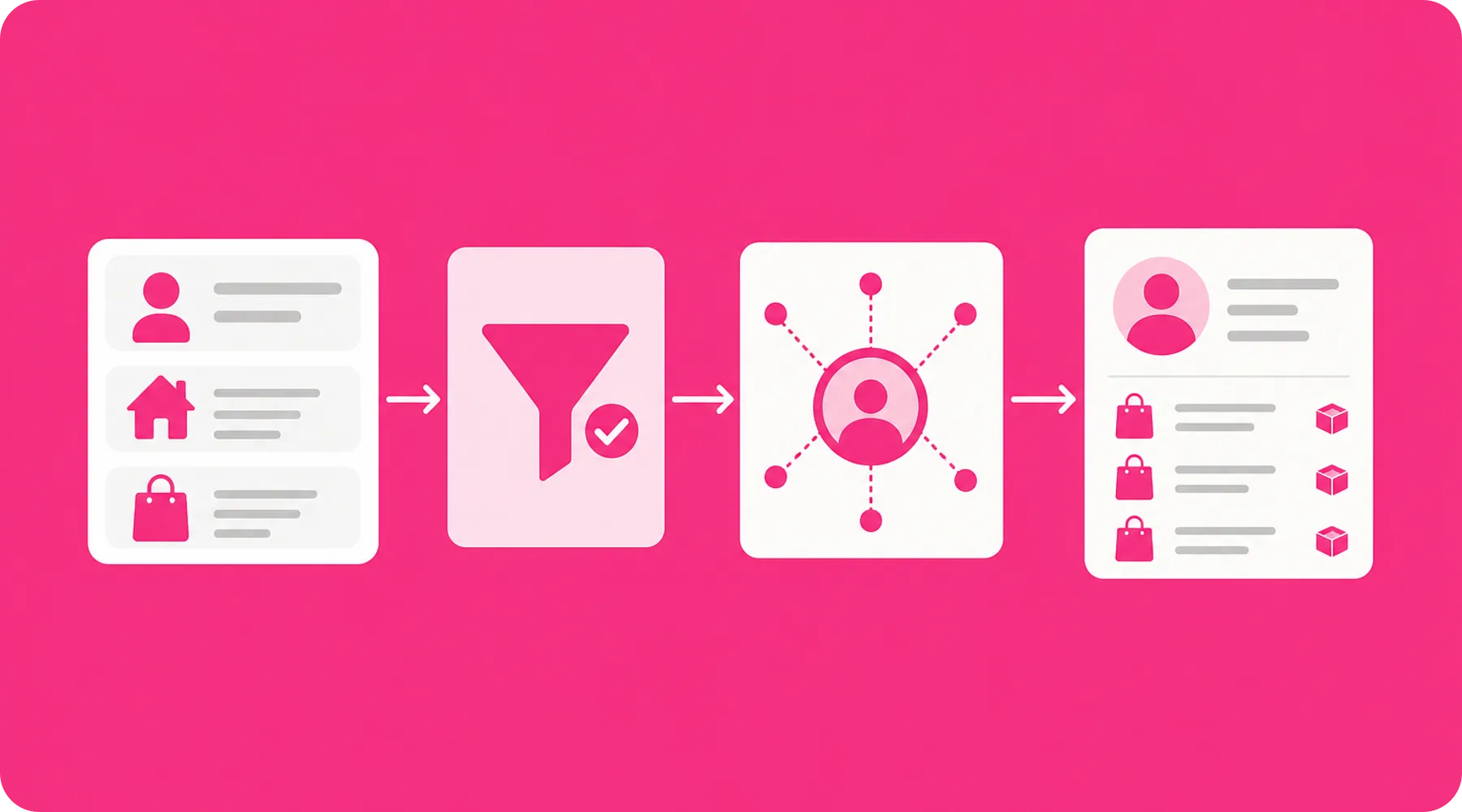
✓ Products, customer profiles, and historical orders must be transferred in this order.
✓ Success depends more on data mapping and communication than on the pure CSV import.
Why Customer Accounts Become a Migration Risk
A customer account is not a single file. It connects a unique identity with addresses, consents, orders, returns, credits, B2B assignments, and potentially features from extensions.
During migration, these relationships meet a new data model. A successfully imported name with an email address does not yet mean that the account is functionally complete or that the person can see their previous transactions.
Account Component | Typical Migration Path | Key Check |
|---|---|---|
Master Data | Customer CSV, App, or API | Email, name, address, and country code |
Password | No import via Shopify customer CSV | Communicate new login procedure |
Order History | Migration app or APIs | Link with profiles and products |
Marketing Status | Explicit field mapping | Only transfer verified consents |
Additional Data | Tags, supported metafields, or app | Test business use case |
B2B Relationships | Custom company and location mapping | Roles, locations, and permissions |
Practical Check
Do not just test customer profiles in the Shopify admin. Log in with realistic test profiles, open old orders, check addresses, and carry out another purchase through to checkout.
What the Source Systems Actually Provide
Adobe Commerce, Shopware, and WooCommerce can make customer data exportable. However, the available fields and relationships are not automatically compatible with the Shopify structure.
Adobe Commerce and Magento
Adobe Commerce can export customer accounts as CSV or Excel XML. The structured CSV export contains, in addition to the email address, information on the website, store view, and creation time, as well as separate customer address data.
Particularly in installations with multiple websites and store views, it must be decided in advance what these structures mean in Shopify. An old store assignment can, for example, become a tag, a metafield, market logic, or a separate Shopify store.
Shopware
Shopware 6 provides CSV exports via profiles. These profiles determine which database fields are output; for orders, a suitable export profile with the required fields must be set up.
This is flexible, but shifts responsibility into the export definition. If relationship fields or functionally important extension data are missing from the initial export, the subsequent Shopify mapping cannot be complete either.
WooCommerce
WooCommerce offers extensions for exporting customers and orders to CSV or XML files. Custom export formats can include fields and metadata, which is important for highly customized WordPress installations.
This flexibility is also the risk: customer data can be distributed across core fields, user metadata, and plugin structures. Before the migration, it must therefore be clarified which extension is the authoritative source for subscriptions, credits, memberships, or roles.
Source System | Strength in Export | Typical Analysis Question |
|---|---|---|
Adobe Commerce | Detailed attributes and store context | How are websites, store views, and groups mapped? |
Shopware | Configurable CSV profiles | Does the profile contain all required relationships? |
WooCommerce | Extensible exports including metadata | Which plugins hold business-critical account data? |
Passwords are Not the Ultimate Goal
Shopify explicitly points out that passwords encrypted outside of Shopify cannot be migrated via a customer CSV. With old Shopify customer accounts, this would result in a process where imported users have to set new passwords.
Current Shopify customer accounts change this initial situation. As soon as a customer profile exists in the admin area, the person can log in using their associated email address and a one-time six-digit code; a traditional password is not required.
The Login Change Can Become Simpler
This means that the missing password transfer does not necessarily become a disadvantage. Instead of forcing thousands of password resets, merchants can design the migration as a transition to passwordless access.
However, this only works if email addresses are correct, unique, and reachable. Duplicates, shared addresses, or outdated company contacts are not resolved by the new login, but will become visible at the latest during the first login.
Clean up Identity Before Import
The email address becomes the decisive linking characteristic. Before the import, capitalization, spaces, incorrect addresses, duplicates, and guest orders should therefore be analyzed.
Also, define rules for multiple profiles belonging to the same person. Shopify can merge customer profiles, but an automated cleanup before go-live is more controllable than subsequent individual corrections by support.
Important
Do not communicate generally that existing accounts must be re-registered. With current Shopify customer accounts, an already imported profile can be accessed directly via the email code.
Without Orders, the Account Remains Incomplete
A Shopify customer CSV does not import order information. Also, values like the previous number of orders or historical revenue cannot simply be recreated as genuine Shopify order history via customer fields.
Historical orders must be transferred separately via a migration app or the designated Shopify APIs. Shopify explicitly recommends the order of products, customer profiles, and then historical orders, so that the data records can be correctly linked with each other.
What History is Actually Needed
Not every company needs to operatively map all old orders in Shopify. However, for customer service, repeat orders, returns, B2B processes, or ongoing warranty cases, a complete history can be business-critical.
A pure archive solution outside of Shopify may suffice if old transactions are only needed for proof. In that case, however, it must be clearly regulated where service teams look and what customers actually see in the new account.
Test Imported Orders Under Control
When importing historical orders, status, currency, taxes, discounts, line items, timestamps, and assignment to the correct profile must be checked. Additionally, Shopify warns that enabled internal order notifications can trigger a new email for every imported order.
Deactivate such notifications during the controlled import and reactivate them afterwards. Customer-facing communication processes should also be tested in a test environment or with a limited dataset.
A Resilient Target Concept for Customer Accounts
The technical migration should begin with a business decision: What tasks should the Shopify customer account fulfill after the switch? A pure order overview requires a different mapping than a portal for B2B purchasing, returns, subscriptions, or memberships.
Create an account function matrix for this. Each previous function is assigned a target in Shopify, an app, a connected system, or a deliberately retired archive.
Previous Function | Possible Target | Acceptance Criterion |
|---|---|---|
Login and Profile Maintenance | Shopify customer accounts | Login and address change work |
Old Orders | Shopify or external archive | Service and customer find defined history |
Returns | Customer account extension | Eligible order can be selected |
Subscriptions | Specialized app | Contract and payment method are assigned |
B2B Roles | Shopify B2B with appropriate plan | Contact sees correct location and catalog |
Loyalty Points | Loyalty app or defined restart | Balance and transition rules are traceable |
Decision Point
Do not migrate fields just because they exist in the old system. Transfer data when there is a clear process, a customer function, or a traceable retention requirement behind it.
The Migration in Four Controlled Runs
1. Data Inventory and Mapping
Inventory customer fields, addresses, groups, consents, orders, and app data. Map each field to a Shopify standard field, tag, supported metafield, third-party system, or exclusion.
2. Trial Run with Representative Profiles
Do not just use clean standard customers. The test set should include guest purchases, multiple addresses, international profiles, B2B contacts, canceled orders, discounts, and special characters.
3. Full Initial Migration
Import products, customers, and historical orders in the specified order. Record errors not just technically, but by business impact: A missing middle name is to be evaluated differently than an incorrectly assigned order.
4. Delta and Go-Live
New and modified data records are created between the initial export and the switchover. Therefore, define a delta run for customers, addresses, and orders, and freeze changes in the legacy system only for as long as absolutely necessary.
After the domain switch, login, email delivery, and order display should be actively monitored. A prepared support script helps to resolve duplicates, unreachable addresses, and questions about the email code consistently.
What Shop Operators Should Check Now
✓ Determine which account, service, and B2B functions must be available after the switch.
✓ Fully inventory customer fields and extension data from Adobe Commerce, Shopware, or WooCommerce.
✓ Clean up email duplicates, guest orders, and unreachable addresses before import.
✓ Decide whether historical orders are needed in Shopify or in an accessible archive.
✓ Test products, customer profiles, and orders in the order recommended by Shopify.
✓ Control internal order notifications before importing historical orders.
✓ Prepare login communication and support workflows for passwordless access.
Thinkideas View
Do not plan the customer account migration as a password project, but as an identity and service project. For most D2C migrations, a clean switch to current, passwordless Shopify customer accounts makes more sense than trying to technically recreate the former login experience.
Conclusion
A successful Shopify migration does not preserve the old password, but access to the customer relationship. For this, profiles, orders, and account functions must be deliberately merged.
The next logical step is a representative test import with documented field mapping. Only when login, order history, and key service cases work should the complete database follow.


