

Reading time: 6 minutes
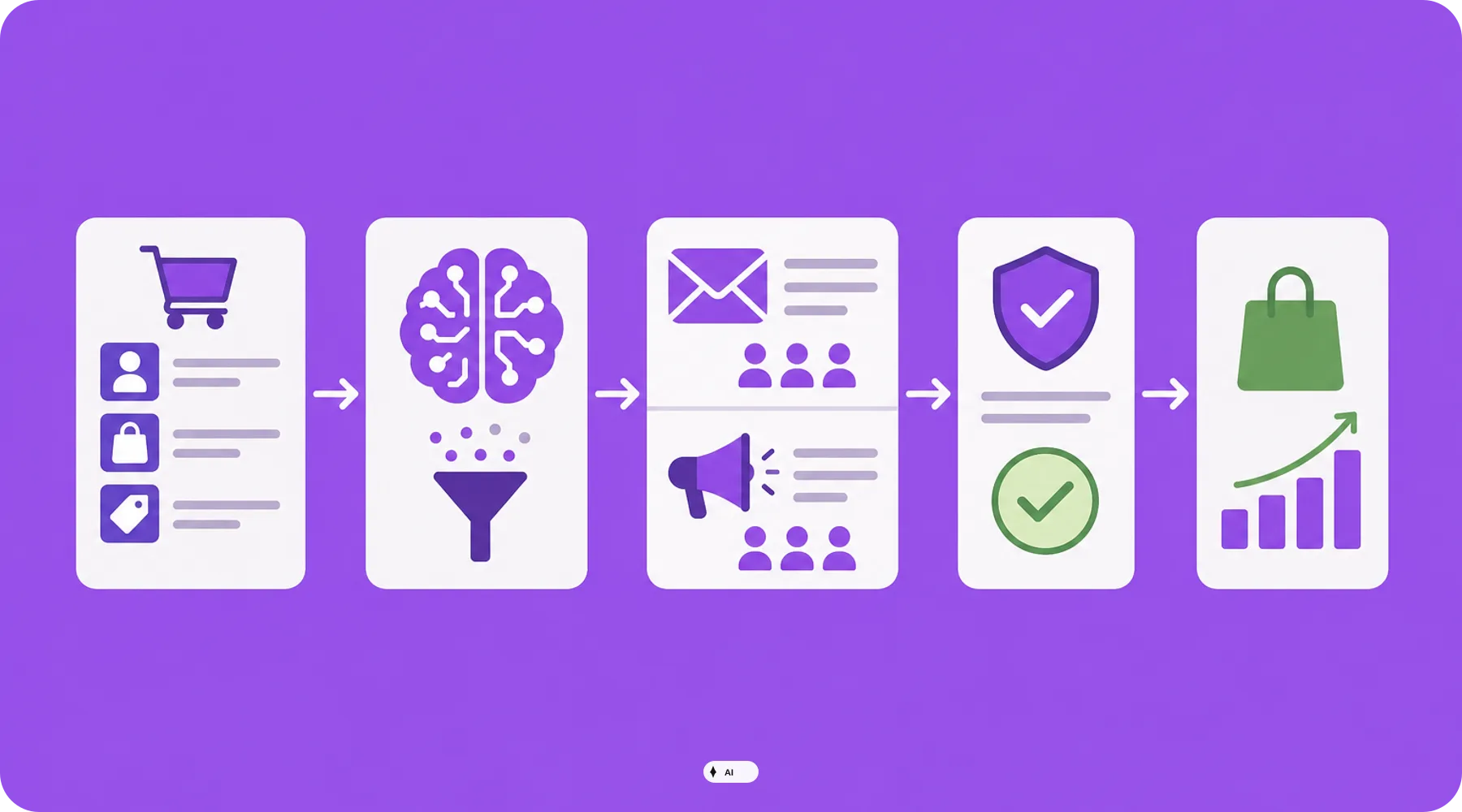
Shopify introduced Campaign Autopilot in spring 2026 as an AI-powered marketing agent. The system analyzes shop data, recommends campaigns, and can execute approved measures via connected channels.
However, the practical benefit depends less on the volume of automated actions and more on clear guardrails. This checklist shows what you should check before launching your first campaign.
In Brief & Compact
✓ Campaign Autopilot is in early access and is only available to selected shops.
✓ The agent utilizes, among other things, product, customer, order, and campaign data from Shopify.
✓ Available channels include Shopify Messaging, Meta Ads, and, if eligibility criteria are met, Shop Campaigns.
✓ Autopilot itself does not incur any additional fees, but approved emails and ads can trigger regular channel costs.
✓ Budgets, target audiences, content, and success criteria still require human review.
Why the Marketing Agent is Not a Self-Runner
Campaign Autopilot does not create a general marketing strategy out of thin air. The agent evaluates existing data and suggests specific tactics, such as a welcome series, a reactivation campaign, or a Meta Advantage+ campaign.
Once approved, the system can launch and optimize the respective measure in the connected channel. However, incorrect product data, unsuitable segments, or overly generous budget limits will not be automatically corrected by this.
The Launch Checklist for Campaign Autopilot
1. Clarify Availability and Access Rights
First, check if the Growth page and Campaign Autopilot are displayed in your Shopify admin area. The feature is still in early access and is therefore not automatically available for every shop.
Shopify Payments must be enabled in the shop.
The responsible person needs staff permissions for Marketing.
According to Shopify, Autopilot is available for regular Shopify subscriptions, but not for the Agentic plan.
Each connected channel may have additional requirements.
2. Connect Only Channels That Can Actually Be Used
Do not connect all offered platforms as a precaution. Every additional channel expands the data flow, operational complexity, and review effort.
ChannelWhat Autopilot HandlesImportant LimitShopify MessagingEmail automations and one-time campaignsApp and active subscriber list required; target segment cannot be freely changedMeta AdsAdvantage+ campaigns and catalog synchronizationSeparate account and catalog path; billing directly by MetaShop CampaignsAcquisition campaigns for new or inactive customersAdditional permission; Shopify documents target markets in Canada and the US
Practical Check
Start with exactly one channel and a clearly defined tactic. For many shops, a controlled email automation is easier to evaluate than launching email and paid social campaigns simultaneously.
3. Control the Data Basis Used
Autopilot accesses the active product catalog, customer segments, purchase histories, subscriber lists, orders, revenue, conversion data, as well as existing campaigns and automations. This data determines which measures the agent recommends.
Are product images, titles, prices, and inventory up to date?
Are test customers, internal orders, and outdated segments excluded?
Are there already automations running with the same trigger?
Are seasonal outliers recognizable when evaluating past results?
Pay close attention to active products. For Meta, Autopilot synchronizes this data one-way from Shopify; direct changes in the Meta catalog managed by Autopilot can be overwritten during a subsequent synchronization.
4. Define Budget Guardrails Narrowly
For paid advertising, you can set spending limits and custom rules. These guardrails should not correspond to the maximum available budget, but to the amount you are willing to risk for a controlled test.
Limit daily budget and total risk.
Exclude low-margin products or products with low stock.
Determine test duration and abort trigger in advance.
Document target values for acquisition costs and contribution margin.
Important
Autopilot itself is offered without a separate feature fee. However, approved activities remain subject to costs: Meta bills ad spend directly, while the respective product and channel terms apply to Shopify Messaging and Shop Campaigns.
5. Review Every Tactic Like a Campaign Briefing
An AI recommendation is not a reason for automatic approval. Before launching, check at least the channel, goal, target audience, promoted products, offer, budget, and runtime.
For email tactics, the subject line, sender, content, branding, footer, and sending time should also be checked. Autopilot can select the target segment of a suggested email; according to current Shopify documentation, this segment cannot be swapped out manually.
6. Avoid Overlap with Existing Campaigns
Autopilot does not alter existing manual campaigns. However, this does not prevent customers from being targeted simultaneously by a manual automation and a new Autopilot tactic.
Compare triggers and sending windows of all email automations.
Check parallel discount promotions and different offer logic.
Separate Autopilot and existing campaigns in your analysis.
Determine internally where changes are allowed to be made.
For Meta, you should not edit Autopilot campaigns directly in the Ads Manager and via Shopify at the same time. Shopify points out that direct changes can be overwritten during a later update.
7. Plan Success and Shutdown Before the Launch
Do not just evaluate revenue or clicks. The decisive factor is whether a tactic economically generates additional orders after discounts, advertising costs, returns, and variable costs.
Define primary metric per tactic.
Set a comparison period or control group.
Schedule review dates for budget, frequency, and product availability.
Name a responsible person for pausing and approvals.
Also test the emergency exit. If Autopilot is completely deactivated, Shopify stops ongoing Autopilot activities; Meta campaigns are paused, and scheduled email activities can be canceled.
What Shop Operators Should Check Now
✓ Is Campaign Autopilot available in the Growth section of your shop?
✓ Are Shopify Payments and the necessary marketing permissions set up?
✓ Are you starting with a single channel and a limited tactic?
✓ Are product, customer, and campaign data cleaned up before the analysis?
✓ Do guardrails sufficiently limit budget, products, and runtime?
✓ Does the new tactic avoid overlap with existing automations?
✓ Are profitability target, review date, and shutdown process documented?
Thinkideas View
Use Campaign Autopilot initially as a controlled campaign operator, not as an autonomous marketing manager. Only approve additional channels and higher budgets when a clearly defined tactic works measurably profitably and your team has mastered both the data flow and the shutdown process.
Conclusion
Campaign Autopilot can significantly accelerate the creation, delivery, and ongoing management of Shopify marketing. Its realistic strength lies in the operational execution based on existing shop data, not in the unvetted adoption of strategic decisions.
First, check availability, data quality, and channel prerequisites. Then start with a narrowly defined test whose budget, success criterion, and shutdown rule are already established before approval.


