
Read time: 6 minutes
Google now represents overlapping Shopify Markets through separate country data sources in the Merchant Center. This can slow down existing Shopping campaigns if they still filter by old data source labels.
Before Black Friday and the holiday season, you should therefore not only check product approvals. It is crucial whether campaign filters, attribute rules, and country setups still match the new feed structure.
Short & compact
✓ Overlapping Shopify Markets can be split into separate country data sources.
✓ New data source labels can invalidate existing campaign filters.
✓ Item-level performance data starts without previous history in the new data source.
✓ The underlying product IDs are preserved, so conversion tracking continues to work.
✓ Attribute rules are not automatically transferred to the new country data sources.
What changes in the Google feed
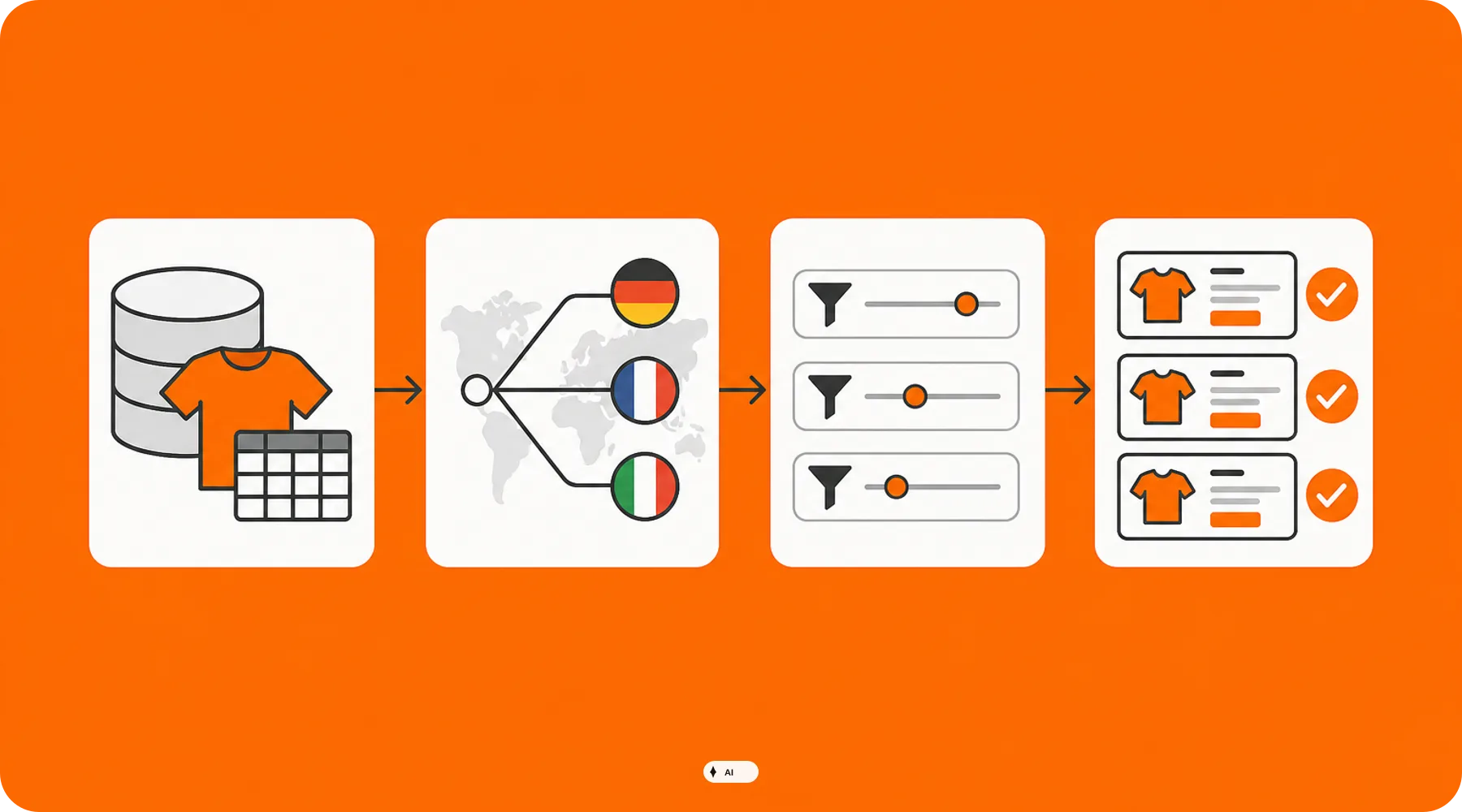
For Shopify shops with overlapping markets, Google assigns products to separate data sources for individual countries. A previously shared source can thereby be split, for example, into data sources with labels like DE, FR, or NL.
Google initially treats items within a newly created data source as new items. Therefore, their previous item-level performance history is no longer available there, even though the underlying Shopify product IDs remain unchanged.
AreaImpactRisk before peak seasonData source labelNew country-specific labelFiltered campaigns no longer capture productsPerformance historyItems appear in the new source without historyComparisons on an item level become more difficultProduct IDThe underlying ID remains no automatic break in conversion trackingAttribute rulesNo automatic transferTitles, labels, or exclusions may be missing
Practical Check
Do not confuse the missing performance history in a new country data source with a tracking failure. First, check whether orders and conversion values continue to come in before you fundamentally change tracking tags or campaign settings.
The Peak Checklist in six steps
1. Inventory all country data sources
Open the overview of your product data in the Merchant Center and document all active data source labels. Then match them with the countries and languages activated in the Shopify Google & YouTube sales channel.
Which new country data sources have been added?
Do old and new sources exist in parallel for a temporary period?
Do the country, language, and currency correspond to the respective Shopify Market?
Also check whether the relevant markets are active in Shopify and have suitable shipping settings. Missing market configurations can result in country information not being synchronized as intended.
2. Inspect campaign filters for old labels
In Google Ads, check all Shopping and Performance Max campaigns that select products based on a specific data source or data source label. A filter on a previous market label may not capture products in a new DE or FR data source.
According to Google, campaigns targeting all products without such restrictions are not affected by this specific filter issue. Nevertheless, check the product groups and inventory filters instead of relying solely on campaign status.
3. Rebuild attribute rules for each country source
Existing attribute rules are not automatically transferred to newly created country data sources. This particularly affects rules for custom labels, optimized titles, product exclusions, or mapping missing attributes.
Only copy rules that still make sense in the respective target country. A blanket adoption can overwrite local differences in assortment, language, margin, or availability.
Important
Custom labels often control budget classes, margin groups, or peak assortments. If such a rule is missing in the new data source, the product may be approved but end up in the wrong campaign or without the intended prioritization.
4. Check product status instead of feed volume
A complete data source does not automatically mean all items are eligible for delivery. The Google & YouTube app distinguishes between approved, limited, disapproved, and pending review products, among others.
Create a list of peak products for each major target country and check their status individually. Prioritize top-selling items, advertised promotional products, and products with high stock levels instead of just looking at the total number of approved items.
5. Keep before-and-after comparisons clean
Since items in the new country data source may appear without their previous performance history, you should document the time of the switch internally. Otherwise, analysis at the product level will look like a sudden drop or restart.
Keep exports of previous product performance and also compare campaign-wide metrics. Do not base hasty bidding, budget, or assortment decisions on a lack of item history.
6. Validate peak assortment with test budget
Do not wait until the main promotion starts. Activate a controlled preliminary phase where the most important product groups are already delivered via the new country data sources.
Check impressions, clicks, landing pages, prices, availability, and conversion values per country. The full peak budget should only be released once product approval, campaign assignment, and measurement work together.
What store owners should check now
✓ Do the country data sources in the Merchant Center match your active Shopify Markets?
✓ Are Shopping or Performance Max campaigns still filtering by old data source labels?
✓ Have relevant attribute rules been transferred to each new country data source?
✓ Are your top-selling peak products approved in all target countries?
✓ Do custom labels for margin, stock, and campaign priority work?
✓ Are missing item history and actual tracking issues clearly separated from each other?
✓ Has delivery been tested with real orders before the budget increase?
Thinkideas View
Do not treat the country split as mere feed maintenance. Establish a binding approval process for each market that reviews the data source, campaign filters, attribute rules, and conversion tests together. This prevents a technically approved product from remaining outside the intended campaign during the most crucial sales phase.
Conclusion
The new country-specific structure can make international Shopify setups clearer, but requires a recheck of existing Google campaigns. Old data source filters and untransferred attribute rules in particular pose a specific delivery risk.
Inventory your country sources now and test the peak assortment with a limited budget. Scaling only follows once products, campaign mapping, and measurement are confirmed per market.


