

Reading time: 7 minutes
In the peak season, profitability is not only decided by the campaign idea. If links, UTM values, and attribution rules are set up inconsistently, budgets can hardly be reliably evaluated by channel, creative, or target group.
Shopify can bundle external and internal marketing activities into campaigns. With this checklist, you can prepare your tracking so that your data actually remains manageable during high-revenue weeks.
In brief
✓ Define a binding UTM naming logic before campaign links are distributed.
✓ Separate channels, ad formats, and creatives using unique parameters.
✓ Use shareable links or automatic attribution rules specifically rather than in parallel without a concept.
✓ Analyze campaign reports with multiple attribution models.
✓ Test every relevant link before the first major media budget is spent.
1. Define campaign structure before launch
Do not start in the ad manager, but with a shared campaign structure. This is especially true when paid social, search, newsletter, influencers, and offline materials lead to different landing pages at the same time.
One campaign per shared business goal
Shopify campaigns can bring together newsletters, social media activities, and other promotions. This bundling makes sense if all activities support the same offer and the same financial goal.
Define campaign goal: Determine whether new customer revenue, existing customer activation, clearance sales, or contribution margin is the priority.
Document offer logic: Record products, discounts, target markets, landing pages, and runtime in a central place.
Standardize campaign names: Use short, unique, and permanently understandable names.
Assign responsibility: Determine who creates links, approves parameters, and checks reports.
Use UTM parameters as a binding standard
Google Analytics is case-sensitive for parameter values. Different spellings such as newsletter, Newsletter, and email can therefore generate unnecessarily separate report rows.
Parameter | Role | Example |
|---|---|---|
utm_campaign | Identify overall campaign | black_friday |
utm_source | Name specific traffic source | |
utm_medium | Classify marketing channel | paid_social |
utm_content | Differentiate creative, placement, or variation | video_product_a |
utm_term | Capture keyword or additional audience details | brand_keyword |
Practical Check
Create a central UTM matrix with allowed values. Free text entries by agencies, creators, or internal teams quickly lead to fragmented reports, especially during the peak season.
2. Correctly attribute traffic in Shopify
Shopify offers three paths for campaigns: shareable links, automatic attribution rules, and manual mapping of observed campaign activities. These options solve different problems and should be used deliberately.
Shareable links for controlled distribution
Creating a Shopify campaign generates a shareable link with a unique tracking ID. In addition, short links and QR codes can be created and further UTM parameters can be stored.
Email and SMS: Use separate links for individual placements or send variations.
Influencers and partners: Create a unique link for each collaboration so that traffic and sales remain distinguishable.
Print and offline advertising: Use individual QR codes for flyers, package inserts, or retail space.
Paid Media: Use the full campaign URL where destination URLs can be controlled and stored.
Do not change active short link handles during an ongoing campaign. After a change, the previous short link may lead to an error page for future visits.
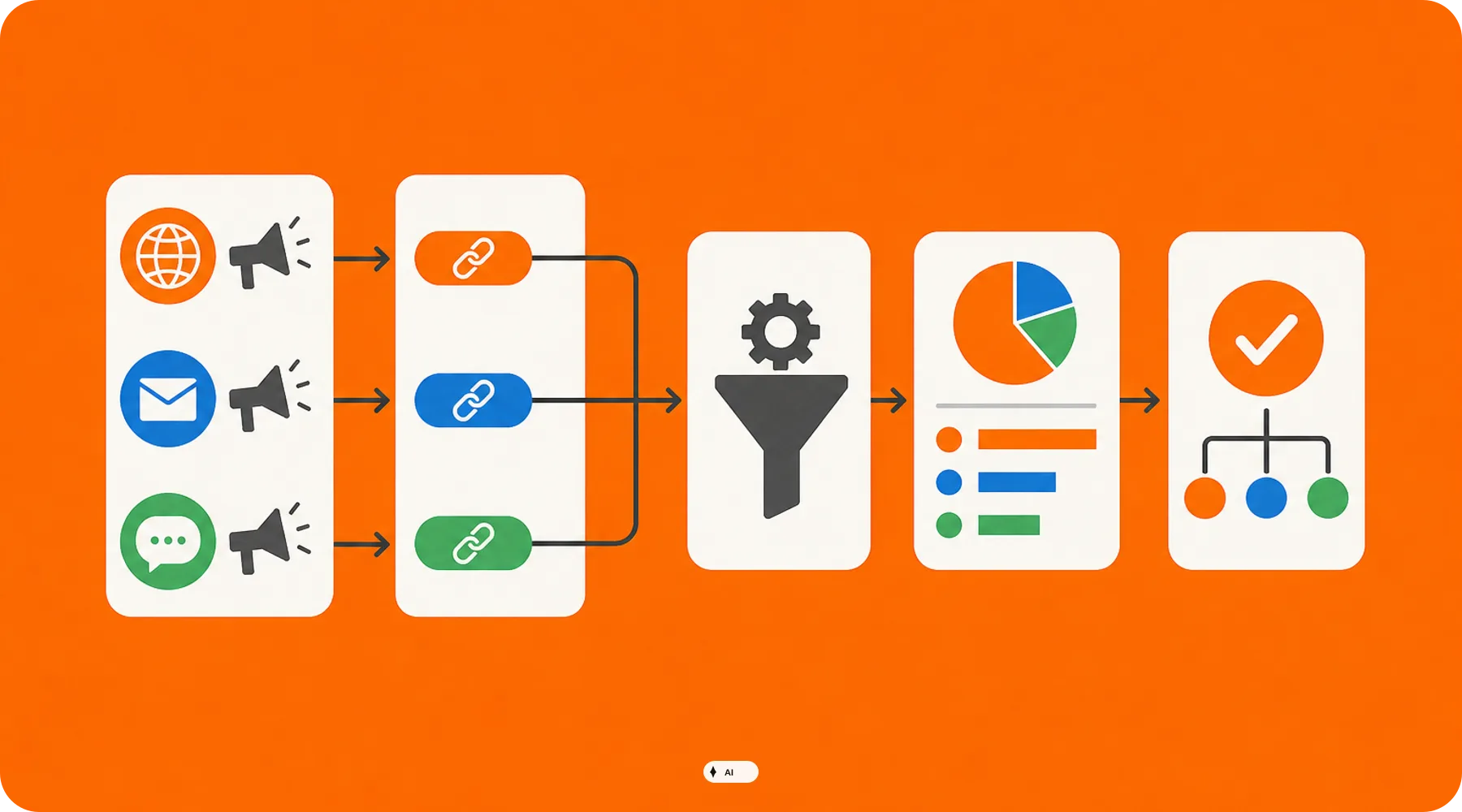
Auto-match rules for existing campaign links
Automatic attribution rules assign sessions to a Shopify campaign based on defined parameters. Supported fields include utm_campaign, utm_source, utm_medium, utm_term, utm_content, channel, and traffic type.
Define only as many conditions as necessary. A rule consisting of campaign name and source is often more robust than a combination of numerous parameters that must match exactly for every ad variation.
Important
Editing or deleting an auto-match rule alters the campaign report. When deleted, the traffic associated with the parameters is removed from the report; changes should therefore be documented and not made spontaneously during analysis.
3. Test tracking before spending media budget
A working link is not yet a passed tracking test. Additionally, check whether the source, medium, campaign, and creative appear correctly in the intended reports.
Conduct test clicks systematically
Open the final link in a private browser window and check the destination page, redirects, and parameters.
Test the links from the actual channel, for example from a test email, ad preview, or a scanned QR code.
Perform the test on both desktop and mobile devices if both device types are relevant.
Next, check the Shopify campaign report and the corresponding acquisition report in Google Analytics.
Document discrepancies before budgets are released or materials are printed.
Shopify notes that synchronizing a campaign report can take time. Wait with the final evaluation until the notification about ongoing data synchronization has disappeared.
Consider redirects and old links
Landing pages are often changed right before peak promotions. Therefore, test not only the initially planned URL, but also redirects, country paths, and alternative domains through which visitors actually enter the shop.
Do not delete active shareable links just because a creative is paused. Otherwise, Shopify will remove the associated traffic from the campaign report, while subsequent visits via the deleted link may end up on an error page.
4. Choose attribution that fits your decision-making
A single attribution model does not answer every marketing question. Shopify supports First Click, Last Click, Last Non-Direct Click, Any Click, and linear attribution in suitable marketing reports.
Decision | Useful View | Core Question |
|---|---|---|
Reach budget | First Click | Which channel initiates new purchase paths? |
Conversion optimization | Last Click | Which interaction immediately precedes the purchase? |
Channel steering | Last Non-Direct Click | Which measurable channel last influenced the conversion? |
Complex customer journey | Linear | Which channels work together along the purchase path? |
Single channel evaluation | Any Click | Was the evaluated channel involved in conversions? |
Use a consistent primary view for regular budget decisions and supplement it with at least one other model. This prevents bottom-of-funnel channels from being overvalued and early touchpoints from being systematically underestimated.
5. Prepare financial key performance indicators
In its marketing views, Shopify displays sessions, orders, conversion rate, average order value, CPA, ROAS, as well as new and returning customers, among other things. These key figures only become relevant for decision-making when your cost and margin logic aligns with them.
Target CPA: Define an upper limit separately for new and returning customers.
Return risk: Do not calculate solely with the revenue recorded at the time of purchase.
Discount impact: Evaluate offers based on remaining contribution margin instead of just conversion rate.
Creative performance: Compare creatives using consistent utm_content values.
Repeat purchases: Separate short-term campaign profitability from long-term customer value.
What shop operators should check now
✓ Is a clear goal with a responsible person documented for each peak campaign?
✓ Do all teams and service providers use the same UTM naming logic?
✓ Are there separate links for channels, partners, QR codes, and key creatives?
✓ Have auto-match rules been tested and checked against unintentional overlaps?
✓ Were all final links opened from the actual distribution channel?
✓ Do existing links and rules remain unchanged during evaluation?
✓ Are the primary model, comparison model, and financial target values defined in advance?
Thinkideas View
Do not set up a separate reporting system for each platform as the single source of truth before the peak season. Establish Shopify campaigns as a shared operational bracket, use a centrally maintained UTM system, and make budget decisions only based on pre-defined attribution and profitability rules.
Conclusion
Clean campaign tracking begins before the first click. Consistent parameters, stable links, and controlled attribution rules make Shopify reports significantly more reliable during the peak season.
As a next step, create a UTM matrix and test a complete sample campaign from the acquisition channel to the report. Only then should you roll out the setup to all planned activities.


